Setting a delay between steps in multichannel campaigns
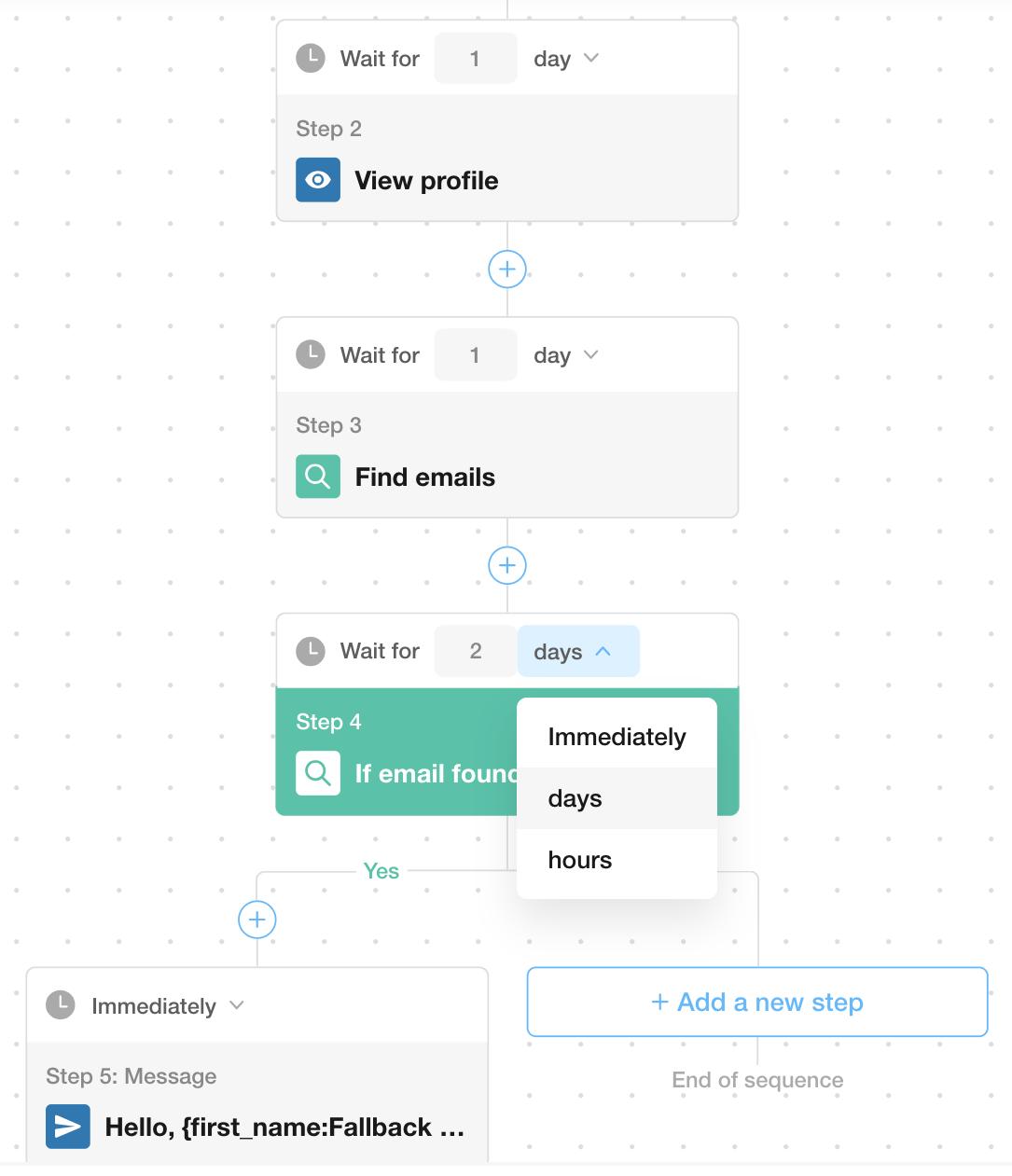
In Scout, you can set a delay between each action in your multichannel campaigns, giving you the flexibility to control the timing of your outreach. This ensures that you space out your actions in a way that feels natural while still automating your workflow.
How to Set a Delay:
You can set a delay in hours or days.
Minimum delay in hours: 1 hour
Maximum delay in hours: 23 hours
Minimum delay in days: 1 day
Maximum delay in days: 23 days
By default, the delay is set to 1 day, but you can adjust it to a specific number of hours or days to suit your campaign goals.
Immediate Execution Option:
If you want the next action to execute immediately after the previous one, simply set the delay to “immediately”. This option allows you to bypass the standard delay time and send the next message or action without waiting.
Important Notes:
Since campaigns in Scout are scheduled sequentially, there may be a slight deviation from the scheduled time of 10 to 60 minutes. This is due to how our system processes and schedules each action.
Using the “immediately” setting can help maintain the flow of your outreach without delays, making it ideal for follow-up messages or quick actions.
Report
There was a problem reporting this post.
Block Member?
Please confirm you want to block this member.
You will no longer be able to:
See blocked member's posts
Mention this member in posts
Invite this member to groups
Message this member
Add this member as a connection
Please note:
This action will also remove this member from your connections and send a report to a BluChip admin.
Please allow a few minutes for this process to complete.
Report
You have already reported this .
Contact Look-Ups
Unlock verified email and LinkedIn info for your target contacts so you can reach out directly. Each time you unlock a person’s contact information (email, LinkedIn, and more), it counts as a contact look-up. Your plan includes a set number of credits to use toward these look-ups.